
Download Audio Record – Free Audio Recorder for Windows, Mac, Android & iOS
Overview
Audio Record, developed by Super Software, is a versatile audio‑recording application that lets you capture sound from virtually any source attached to your computer or mobile device. Whether you need to record a microphone, a line‑in input, streaming audio from a video, or even the output of a virtual sound card, Audio Record provides a clean, straightforward interface that makes the process feel effortless. The tool goes beyond simple capture; it incorporates a lightweight editing suite that allows you to trim, split, fade in/out, and adjust volume levels without ever leaving the program.
For music enthusiasts, the built‑in CD‑burning feature turns your digital recordings into tangible discs in just a few clicks. The app also supports comprehensive ID3 tag editing, so you can embed artist names, album titles, track numbers, and genre information directly into MP3, WAV, FLAC, M4A, AIFF, and other popular audio formats. Because the software is updated regularly, new codecs, UI enhancements, and workflow shortcuts appear on a rolling basis, ensuring that the application stays relevant in a fast‑moving audio‑production landscape.
In short, Audio Record is a one‑stop solution for anyone who needs a reliable, secure, and free way to record, edit, and manage audio files across multiple platforms.
Key Features and Capabilities
- Multi‑Source Recording: Capture sound from microphones, line‑in, stereo mix, or any virtual audio device.
- Real‑Time Editing Tools: Trim, split, fade in/out, and adjust volume while the recording is still open.
- Comprehensive Format Support: Export to MP3, WAV, FLAC, M4A, AIFF, and more, with selectable bitrate options.
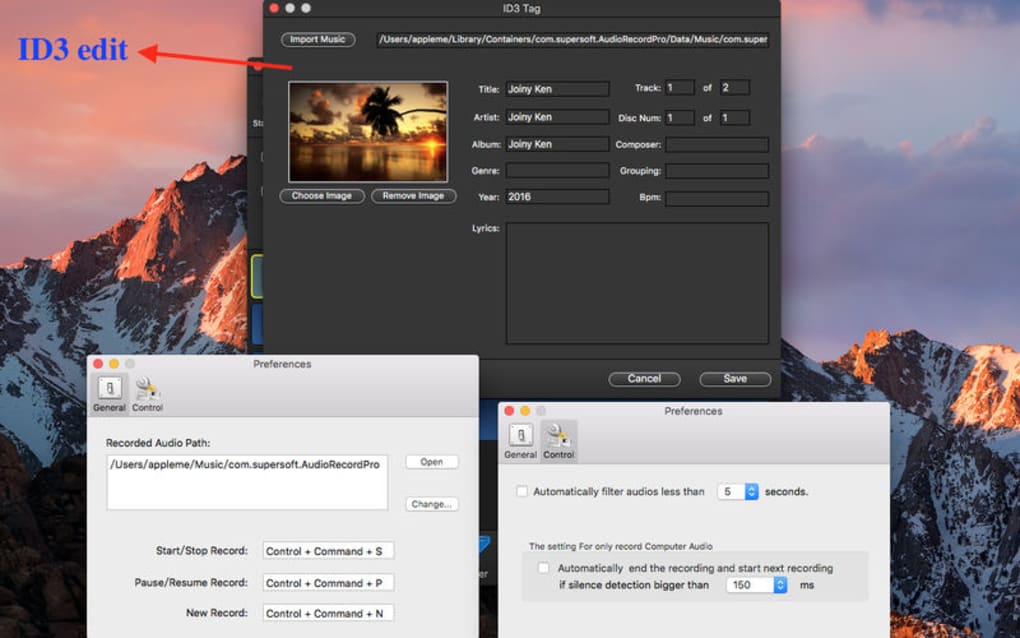
- ID3 Tag Management: Add or edit metadata such as artist, album, track number, genre, and cover art.
- CD Burning: Burn up to 99 tracks onto a CD‑R or CD‑RW directly from the application.
- Batch Processing: Apply the same edit (e.g., fade‑in) to multiple files in a single operation.
- Scheduled Recordings: Set start and stop times for automatic capture of streaming audio or scheduled podcasts.
- Noise Reduction Filter: Basic built‑in noise gate to clean up background hiss during recording.
- Portable Mode: Run the application from a USB stick without a full installation on Windows or macOS.
- Frequent Updates: New codecs, UI refinements, and feature requests are added regularly.
Installation, Usage Instructions & Compatibility
How to Install
Downloading Audio Record is as simple as clicking the Download button on the official website. The installer is available for Windows (7, 8, 10, 11) and macOS (10.13 and later). For mobile users, the app can be found in the Google Play Store and Apple App Store under the name “Audio Record – Free Recorder.” After the download completes, run the installer (or tap “Install” on mobile) and follow the on‑screen prompts. The wizard asks you to choose an installation folder, optional desktop shortcuts, and whether you want the portable version for USB usage. Once installed, launch the program; the first run will prompt you to grant microphone and audio‑device permissions, which are essential for capturing sound.
Getting Started with a Recording
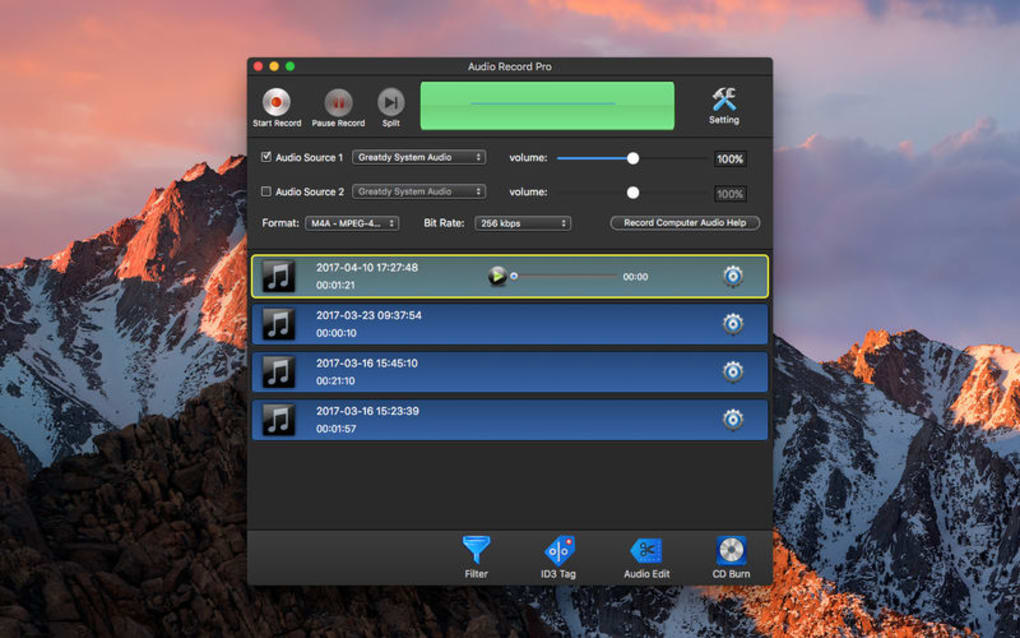
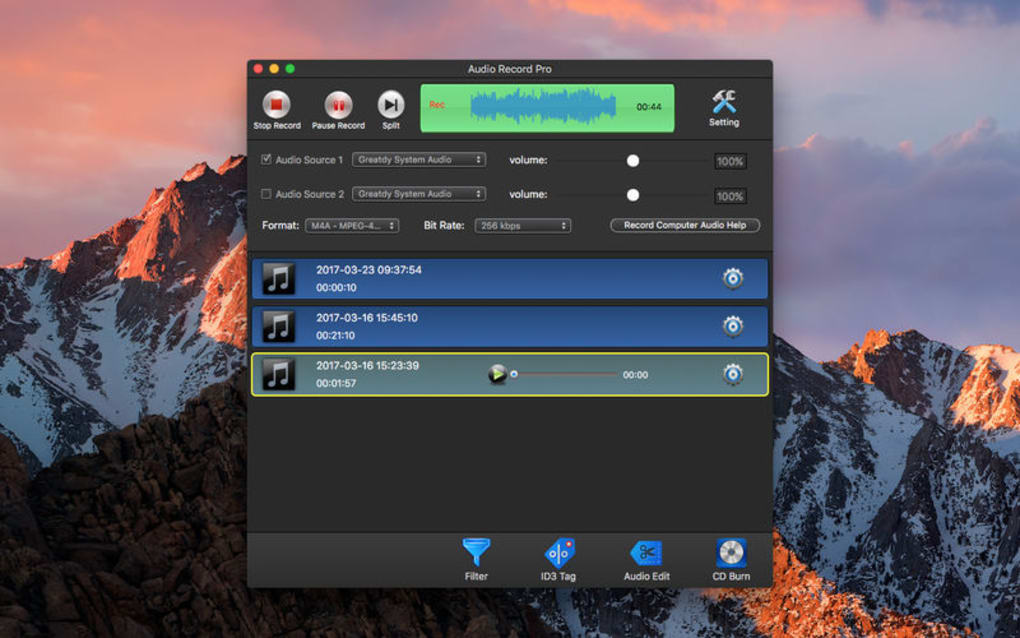
Upon opening Audio Record, you’ll see a clean main window with a Source dropdown, a Record button, and a timeline view. Select the desired input (e.g., “Microphone – Realtek Audio”) and click Record. The software displays a live waveform, allowing you to monitor levels in real time.
When you’re done, hit Stop. The recorded file instantly appears in the Library pane, where you can double‑click to open the built‑in editor. From there, you can trim unwanted sections by dragging the edges of the waveform, split the track into multiple files using the Split button, or apply a fade‑in/out effect from the Effects menu.
Adjust the overall volume with the slider, then choose Export to save the file in your preferred format.
System Requirements & Operating System Support
Windows: 64‑bit Windows 7 or newer, 2 GB RAM, 100 MB free disk space.
macOS: macOS 10.13 (High Sierra) or later, 2 GB RAM, 100 MB free disk space.
Android: Android 5.0 (Lollipop) or later, 1 GB RAM, 50 MB storage.
iOS: iOS 11.0 or later, 1 GB RAM, 50 MB storage.
The application runs natively on each platform, leveraging the OS’s audio stack for low‑latency capture. No additional drivers are required for standard sound cards, though users of specialized audio interfaces may need to install the manufacturer’s ASIO or CoreAudio drivers for optimal performance.
Pros, Cons, Frequently Asked Questions & Final Verdict
Pros
- Completely free with no hidden subscription fees.
- Supports a wide range of audio formats and codecs.
- Integrated editing tools eliminate the need for third‑party software.
- Easy-to‑use interface suitable for beginners and pros alike.
- Regular updates keep the app secure and feature‑rich.
Cons
- Advanced audio effects (e.g., equalizer, compression) are limited.
- No built‑in multi‑track mixing; you need external DAWs for complex projects.
- Mobile version lacks CD‑burning capabilities.
FAQ – Frequently Asked Questions
Can Audio Record capture audio from streaming services?
Yes. By selecting the “Stereo Mix” or “Loopback” input, the application records any sound that plays through your speakers, including music from streaming platforms, videos, or online radio.
Is there a limit to the length of a recording?
There is no hard‑coded limit. Recording length is only constrained by available disk space and system resources.
How secure is the software? Does it contain ads or spyware?
Audio Record is a clean, ad‑free application. Super Software follows strict privacy guidelines, and the installer does not bundle any spyware or unwanted toolbars.
Can I edit ID3 tags after exporting the file?
Absolutely. The built‑in tag editor lets you modify artist, album, track number, genre, and even embed album artwork before or after export.
Is there a premium version with more features?
Currently, Audio Record is offered completely free. Super Software has hinted at a future “Pro” tier that may include advanced effects, but the free version already covers most everyday recording needs.
Conclusion – Should You Download Audio Record?
Audio Record stands out as a reliable, free audio‑recording solution that balances simplicity with powerful features. Its multi‑source capture, on‑the‑fly editing, and broad format support make it a strong contender for podcasters, musicians, and casual users alike. While it lacks deep mixing capabilities, the software’s lightweight footprint, frequent updates, and zero‑cost model more than compensate for those omissions.
If you need a secure way to grab audio from a mic, a video, or any system output—and you want to trim, tag, and even burn a CD without juggling multiple programs—Audio Record is the tool to download today. Click the link below to get the latest version and start recording instantly.







